Kiri for Todoist: a focus timer for your Todoist tasks
Kiri is a focus timer for your laptop, with real background sounds. Kiri for Todoist lets you bring your Todoist tasks into the Kiri task list, then run a focus session on each one. Importing works with a free Kiri account.
What it does
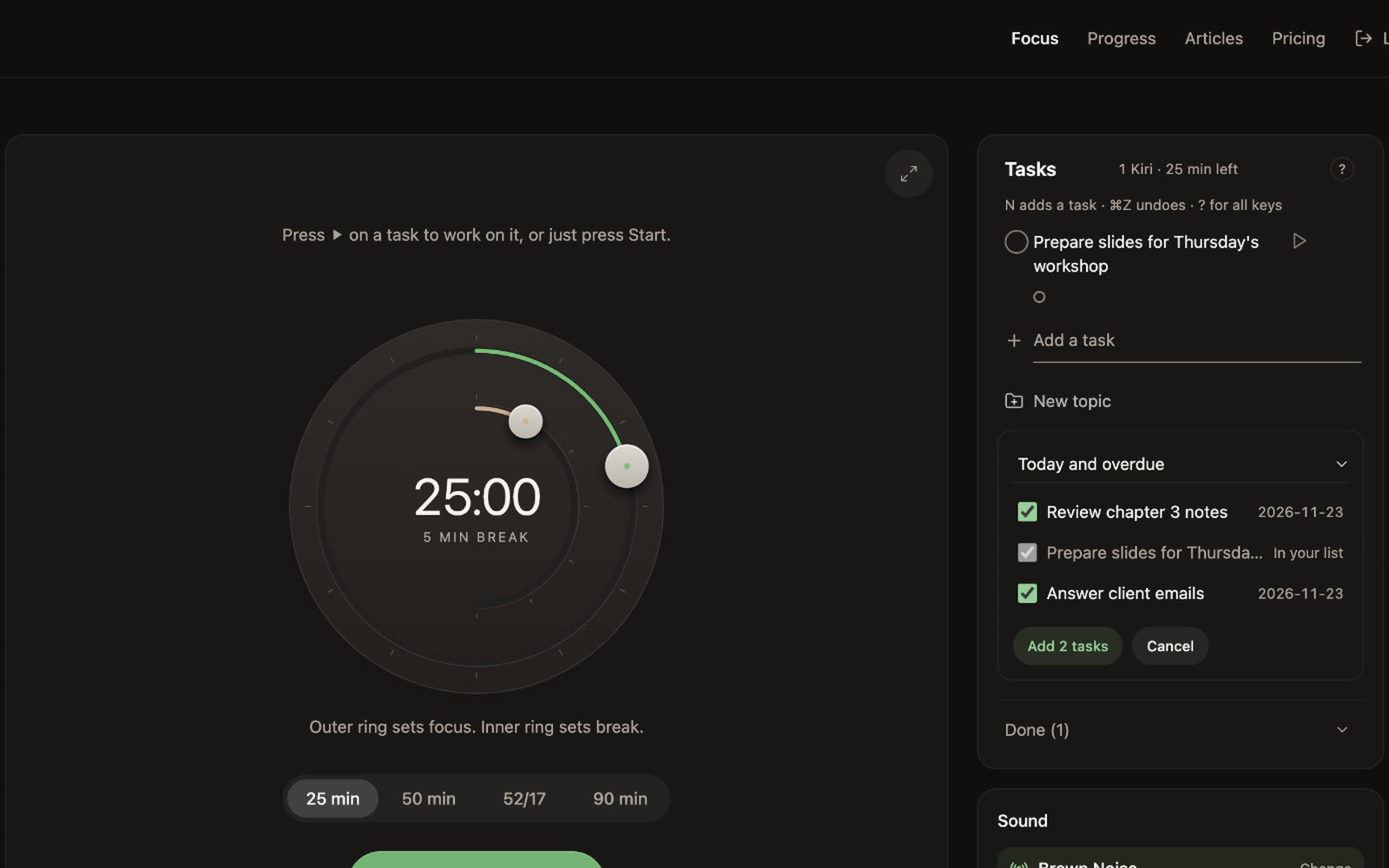
- Import tasks. Pick the Todoist tasks you want and add them to your Kiri task list in one step.
- Today and overdue, or one project. The picker lists tasks due today and overdue. A drop-down switches to a single project.
- No double imports. Tasks you already imported show "In your list".
- Name only. Kiri copies only the task name.
- Complete in Todoist, if you want. An optional setting completes the task in Todoist after you finish it in Kiri. It is off by default.
Set it up
- Sign in to Kiri, or create a free account.
- Open the Focus page.
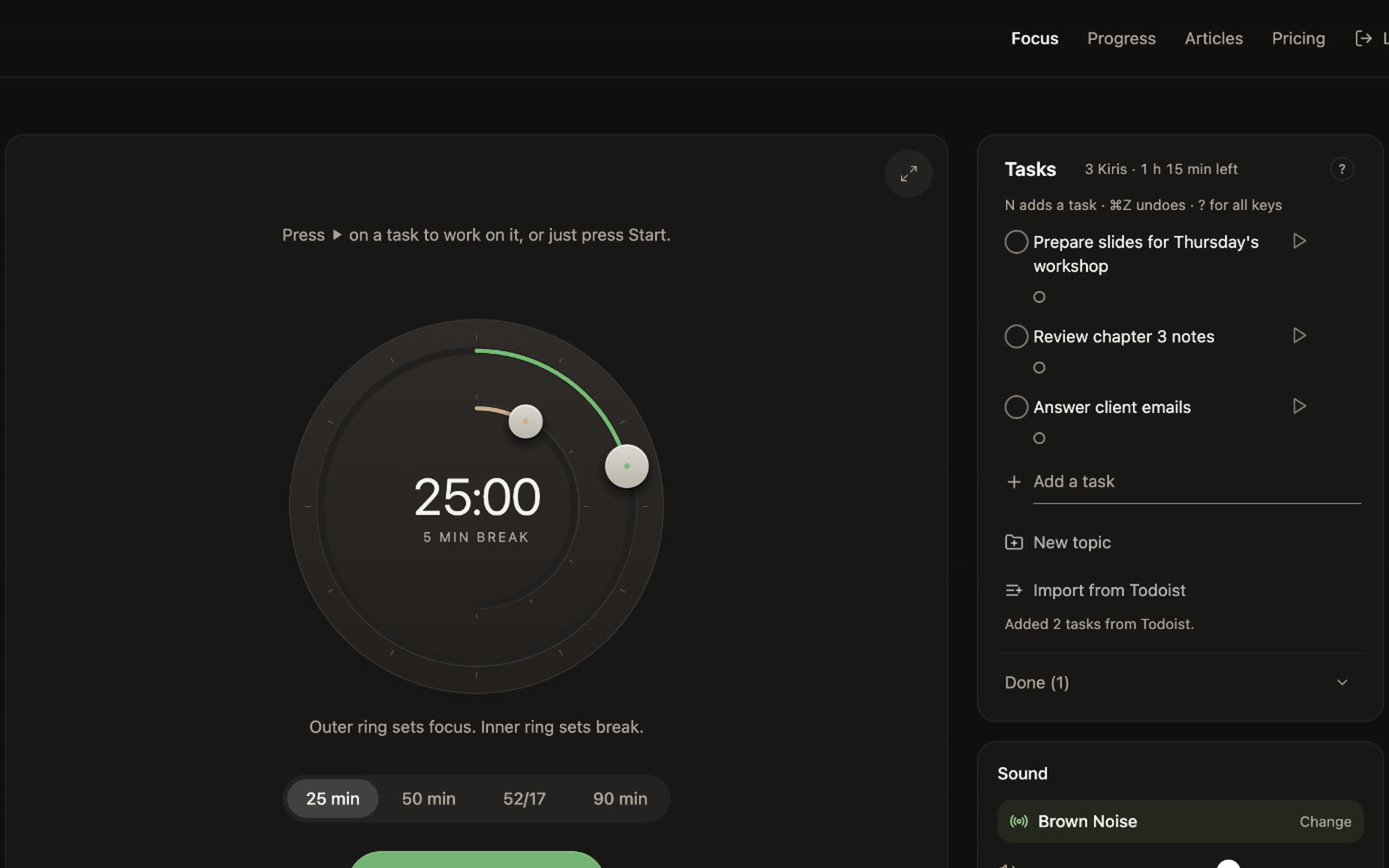
- Under the task list, click "Import from Todoist".
- On Todoist's screen, click Allow.
- Back in Kiri, tick the tasks you want and click "Add".
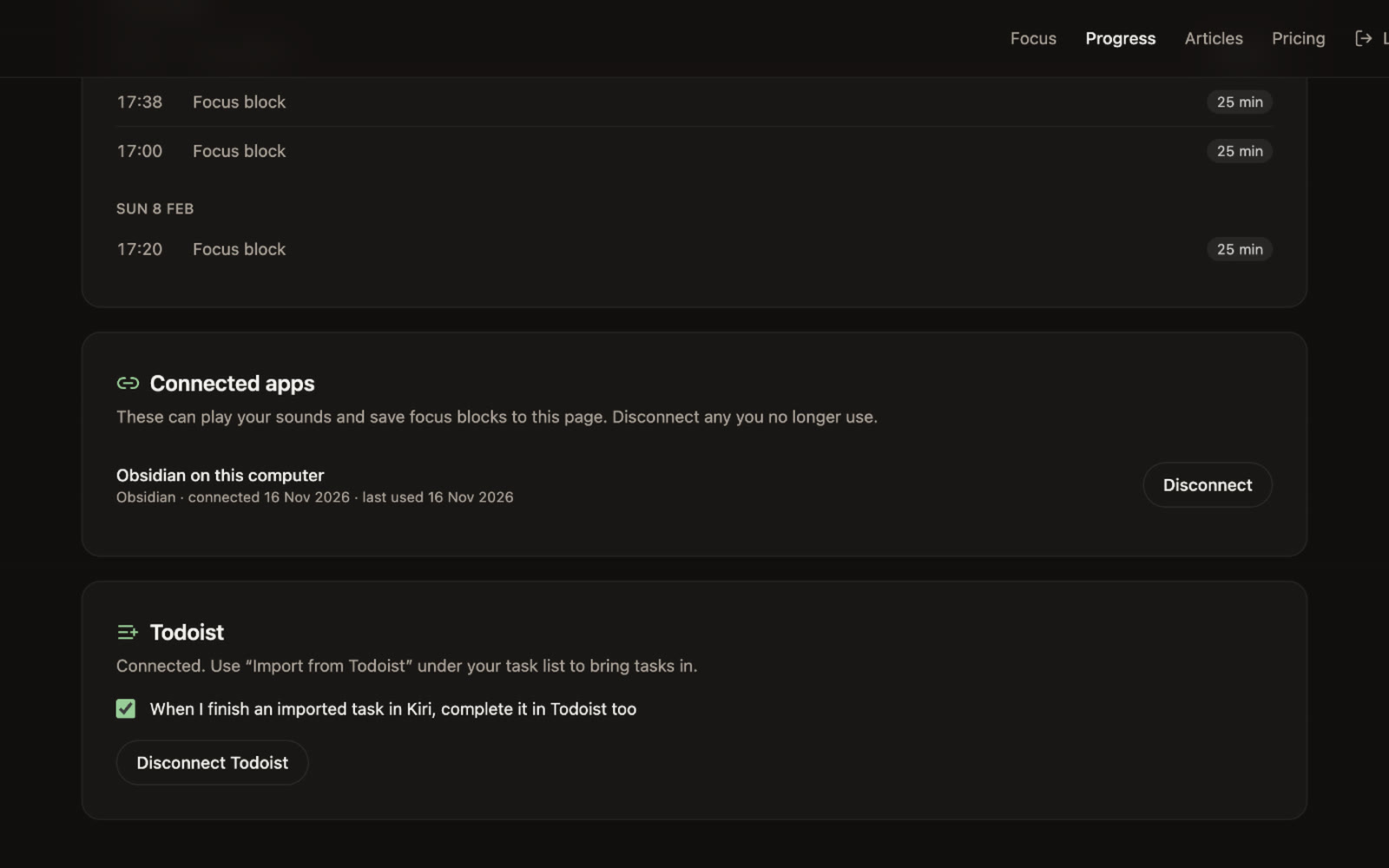
- Optional: on the Progress page, find the Todoist section and tick "When I finish an imported task in Kiri, complete it in Todoist too".
You need to be signed in. Guests do not see the import button.
Disconnect
On the Progress page, click "Disconnect Todoist". Kiri revokes its access. You can also remove it in Todoist: Settings → Integrations → Your integrations.
Privacy
- Kiri reads your tasks so you can pick them, and copies only the task name.
- Kiri writes to Todoist only to complete a task you imported, and only if you turn that on.
- Your access token is stored encrypted.
- Your Todoist data is not sold or shared.
Details are in the privacy policy.
Questions
- Do I need to pay?
- No. Kiri for Todoist works with a free Kiri account. The timer is free. Kiri’s full sound library is a one-time €39 payment, but you do not need it to import tasks.
- Does Kiri change my Todoist tasks?
- Only the ones you imported, and only if you turn it on. By default Kiri only reads your tasks. If you tick the box on the Progress page, a task you finish in Kiri is also completed in Todoist about 8 seconds later. If you undo it within 8 seconds, Todoist is left alone.
- Does it sync all the time?
- No. You import when you want to. Changes you make in Todoist after an import do not come across to Kiri.
- Which tasks can I import?
- Tasks that are due today or overdue, or the tasks of any one project. Use the drop-down in the picker to switch. Tasks you already imported show "In your list".
Kiri is not created by, affiliated with, or supported by Todoist. Todoist is a trademark of Doist.