Kiri Focus Timer for Obsidian: a Pomodoro timer for your tasks
Kiri Focus Timer is a free Obsidian plugin that runs focus blocks on the tasks in your notes. It gives you breaks (a length you choose, or Auto), a soft chime, brown, pink or white noise made on your device, and one log line per finished block in your daily note. It works without a Kiri account; an optional Kiri account adds Kiri's ten sounds and saves your blocks to your Kiri history.
What it does
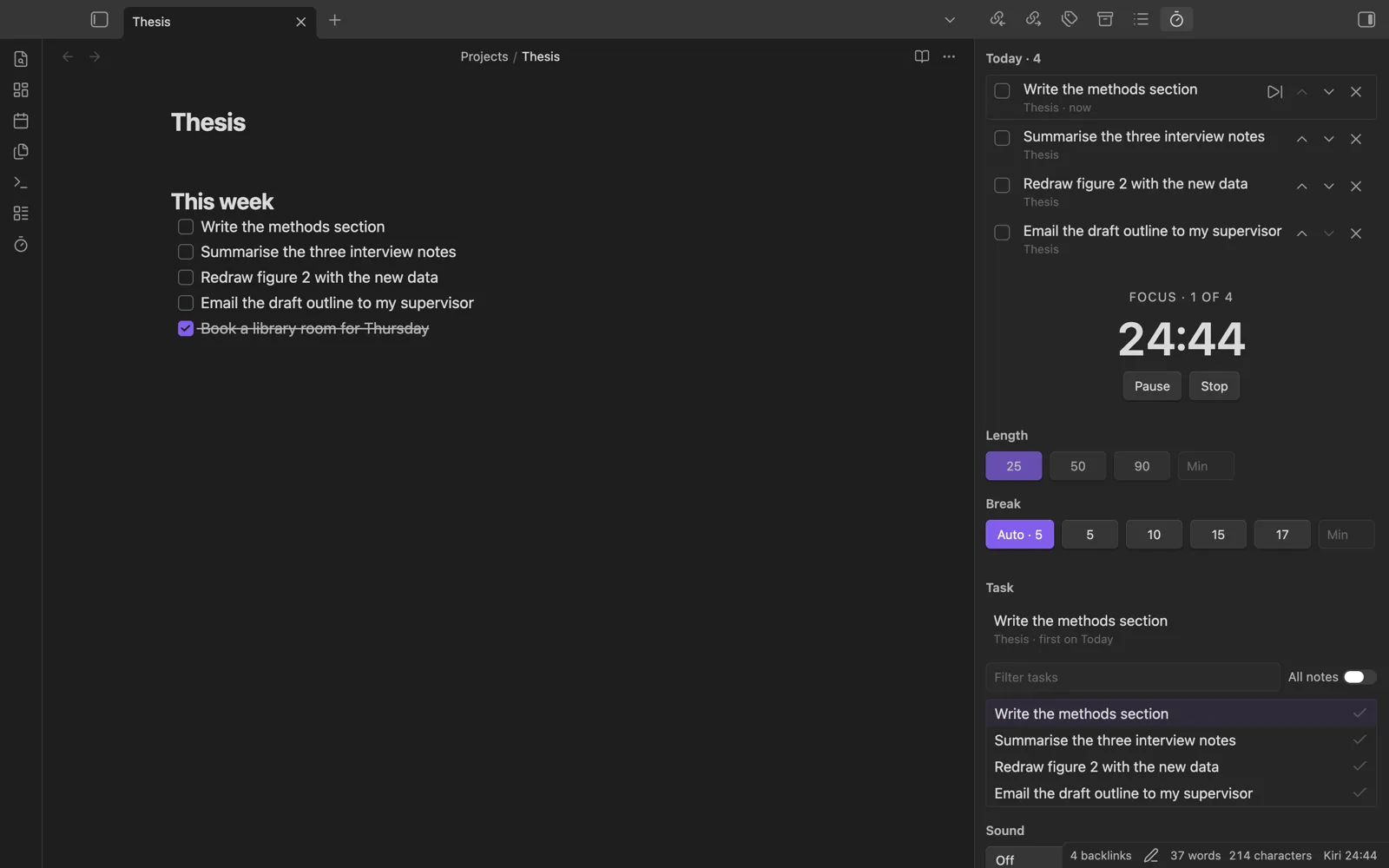
- Focus blocks on your tasks. Pick a task from the current note or from all notes, then run 25, 50, 90 or any 5 to 120 minutes.
- Today list. Put the tasks for today in order. The first one is the current task, and ticking it in the list ticks it in the note.
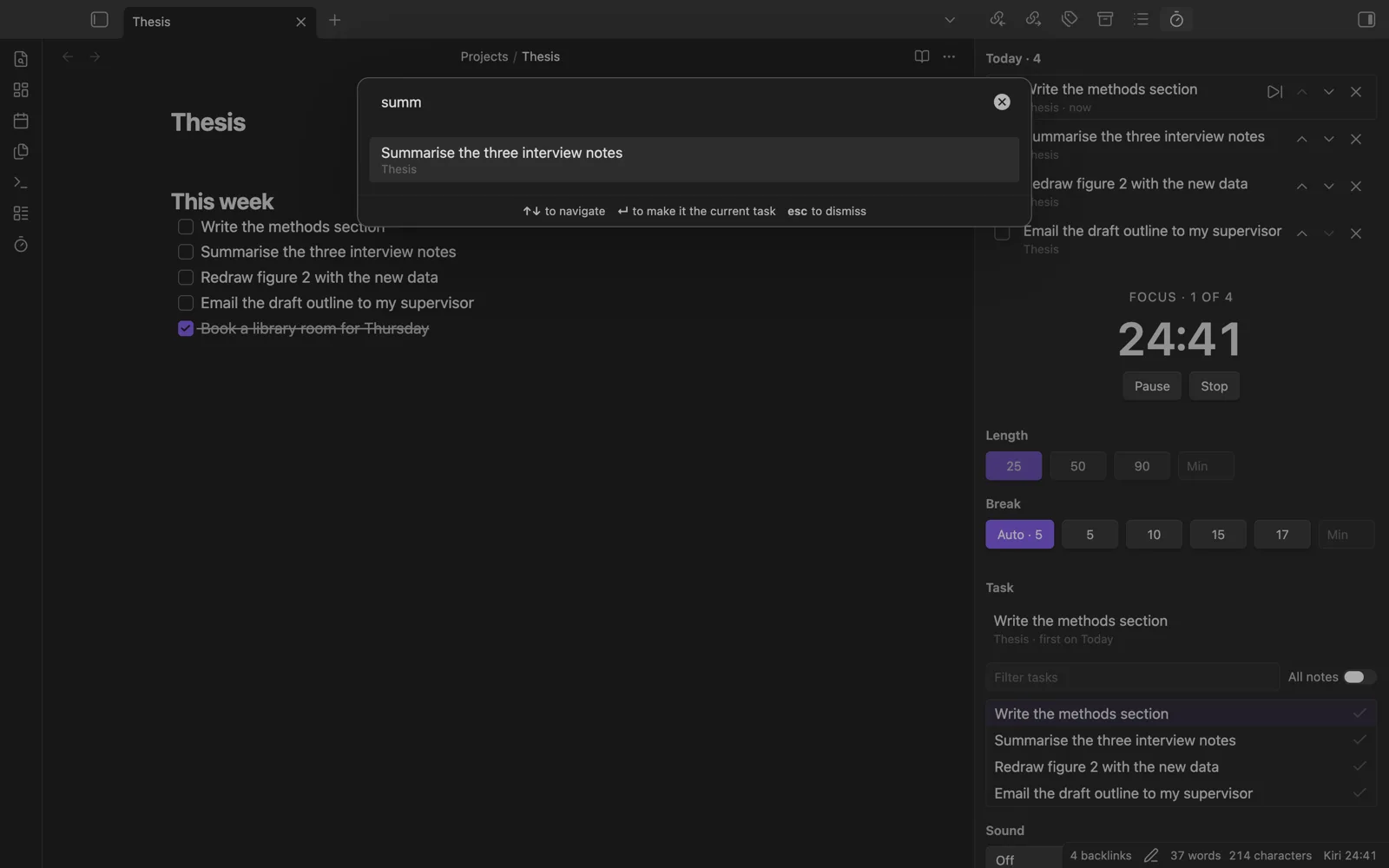
- Switch task easily. Click a task to make it current, press "Next task", or use the "Switch task…" picker. Time already spent stays with the task you left.
- Breaks you choose. Auto, 5, 10, 15, 17 or any length, with a longer break every few blocks.
- Time spent. Optionally adds [spent:: 50m] to the task line and shows "Spent 50m of 2h planned" when a task has [planned:: 2h].
- Works with the Tasks plugin. Fields are written before Tasks dates, so Tasks still reads the line.
- Sound and chime. Brown, pink or white noise generated on your device, and a soft chime at the end of a block.
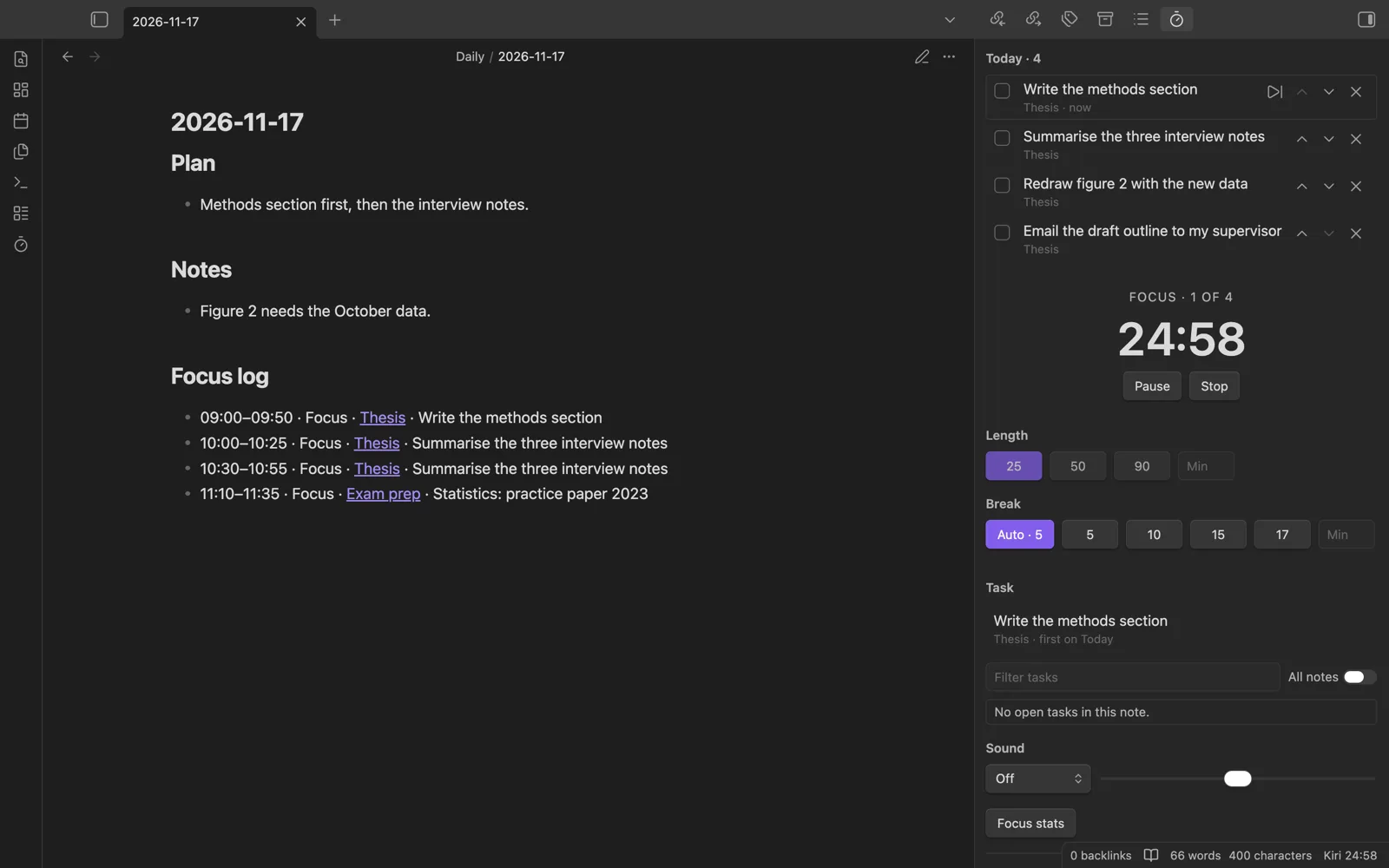
- Focus stats. Your streak and time per note, read from the focus log.
- No default hotkeys. Every command is in the command palette; you add hotkeys only if you want them.
Privacy: nothing is sent anywhere unless you connect a Kiri account. The plugin only writes to your notes as described above and to its own folder.
Install
Kiri Focus Timer is in Obsidian's Community plugins. It needs Obsidian 1.13 or later.
- In Obsidian, open Settings → Community plugins → Browse.
- Search for "Kiri Focus Timer".
- Click Install, then Enable.
Shortcut: open the plugin page in Obsidian, or see the listing on community.obsidian.md.
Or install it by hand:
- Download
main.js,manifest.jsonandstyles.cssfrom the latest release. - In your vault, create the folder
.obsidian/plugins/kiri-focus-timer/and put the three files in it. - Restart Obsidian, then enable "Kiri Focus Timer" in Settings → Community plugins.
Questions
- Do I need a Kiri account to use the plugin?
- No. The timer, breaks, chime, task list, generated brown, pink and white noise and the focus log all work without an account. Nothing is sent anywhere unless you connect a Kiri account in the plugin settings.
- Is the Obsidian plugin free?
- Yes. The plugin is free and open source (MIT), and you install it from Obsidian's Community plugins. Some of Kiri's own sounds need a paid Kiri account (€39 once), but the plugin does not need one.
- Does it work on Obsidian mobile?
- It is not desktop-only: it uses no desktop-only APIs, so it also runs in the Obsidian mobile app. It was built and tested mainly on desktop.
- Where does the plugin write the focus log?
- One line per finished block under a "Focus log" heading in today's daily note if it exists. Otherwise the line goes to a note called "Kiri focus log". It does not create daily notes unless you turn that on.
Not using Obsidian? Kiri also runs in your browser: a focus timer, a task list and ten background sounds in one tab, on a laptop or desktop.